

Most advice on Apple Search Ads starts with the same lazy take: high intent in, installs out, job done.
That's how people waste money.
Apple Search Ads can be one of the cleanest acquisition channels in mobile because you're showing up inside the App Store when someone is already looking for something. It can also become a very expensive way to buy your own ego. You'll get taps. You'll get nice-looking dashboards. You'll feel productive. Meanwhile your budget leaks through sloppy structure, weak product pages, and attribution you shouldn't trust at face value.
I'm not interested in the “just turn it on and let Apple do the work” version. That version is for people who enjoy paying tuition in public.
This is the blunt version. The one that treats Apple Search Ads like what it is: a serious acquisition system with sharp trade-offs, hidden financial traps, and just enough automation to get inexperienced teams in trouble.
Apple Search Ads has had plenty of time to mature. It launched in October 2016 with Search Ads Basic, and Apple's reporting now includes metrics like Avg CPT, Avg CPA, and tap-through reporting across campaigns, ad groups, ads, and keywords, as shown in Apple's campaign dashboard documentation. That's not a toy anymore. That's a platform that expects adult supervision.
The mistake founders make is assuming high intent means easy profits. It doesn't. High intent just means the user is serious. It says nothing about whether your keyword strategy is a mess, your product page is mismatched, or your attribution model is flattering you.
Practical rule: Treat Apple Search Ads like paid search for apps, not like a magical install faucet.
If someone searches for an app category, a competitor, or your brand, you're getting a shot at a user close to the decision point. Great. But that closeness makes mistakes more expensive, not less. A weak social ad can fail unnoticed. A bad Apple Search Ads setup fails with surgical efficiency.
Here's where teams usually blow it:
A founder should care about one thing. Can this channel acquire users profitably and predictably without turning your team into spreadsheet monks?
It can. But only if you stop treating it like “App Store ads” and start treating it like a disciplined operating system.
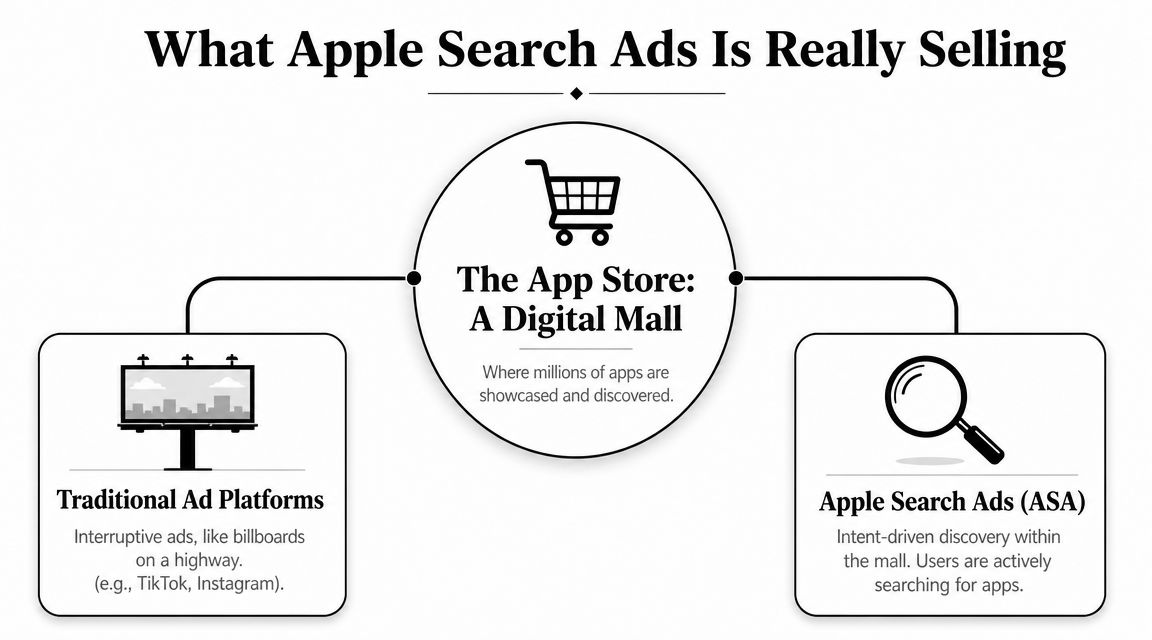
Apple Search Ads does not sell ad inventory in the way Meta or TikTok do. It sells access to a decision that is already forming.
A person opens the App Store, types a need, and starts comparing options. You are paying to show up inside that moment. That is the product. Everything else, placements, taps, dashboards, keyword tools, is packaging.
That sounds attractive, and it is. It also creates a trap.
Founders hear “high intent” and assume the channel is naturally efficient. Wrong assumption. Intent lowers some risk and raises another. You are no longer paying to create interest from scratch. You are paying a premium to intercept demand at the exact point where weak positioning, vague keyword selection, and bad economics get exposed fast.
The question is not whether Apple Search Ads can drive installs. It can. The more important question is whether you are buying users with commercial intent or just renting expensive taps from curious shoppers who never become good customers.
If you want direct response, start with Search results and treat it as the default money placement.
The logic is simple. The user typed something. Your app appears in response. That gives you the clearest line between query, tap, install, and downstream value. Analysts and measurement platforms consistently describe search results as the highest-intent placement in Apple Search Ads, and Apple's own product structure reflects that. It is the closest thing this channel has to pure demand capture.
That does not mean every search is good search.
A branded query, a generic category term, and a competitor keyword can all look healthy at the tap level while producing very different payback periods. This is the part generic guides skip. Apple Search Ads is not selling “intent” as one neat asset class. It is selling different grades of intent, and the spread between them is where budgets get wasted.
Search tab and Today tab can work. Use them for what they are.
They put your app in front of people before a specific query sharpens the buying signal. That makes them closer to in-store display advertising than classic search. Good for awareness. Useful for launches. Sometimes helpful when you want to increase branded search later.
Bad choice if you need quick proof of efficient acquisition.
Low-intent placements often look cheap at the top of the funnel. That is exactly why teams get fooled by them. Reach is easy to buy. Qualified demand is not. If you judge these placements by impressions, taps, or even low-cost installs, you can convince yourself the campaign is healthy while revenue stays flat and retention stays mediocre.
Use broader placements for a clear strategic reason:
If you cannot name that reason in one sentence, do not fund the placement.
This is the financial trap behind the whole channel. Apple Search Ads feels efficient because the user is close to installing. But install intent and business value are not the same thing.
A meditation app can buy broad “sleep” traffic that installs well and cancels fast. A fintech app can buy competitor terms that look expensive on day one and still win because those users monetize better. A gaming app can dominate branded search and report beautiful conversion rates while adding almost no incremental growth because those users were coming anyway.
That is why smart operators treat Apple Search Ads as a market for demand quality, not a vending machine for installs.
Your job is to separate three things:
Get that distinction right and Apple Search Ads becomes a disciplined growth channel. Get it wrong and you end up paying premium prices for vanity metrics with App Store polish.
Apple gave the market two doors. Basic and Advanced. One of them is convenient. One of them is useful.
Choose Advanced.
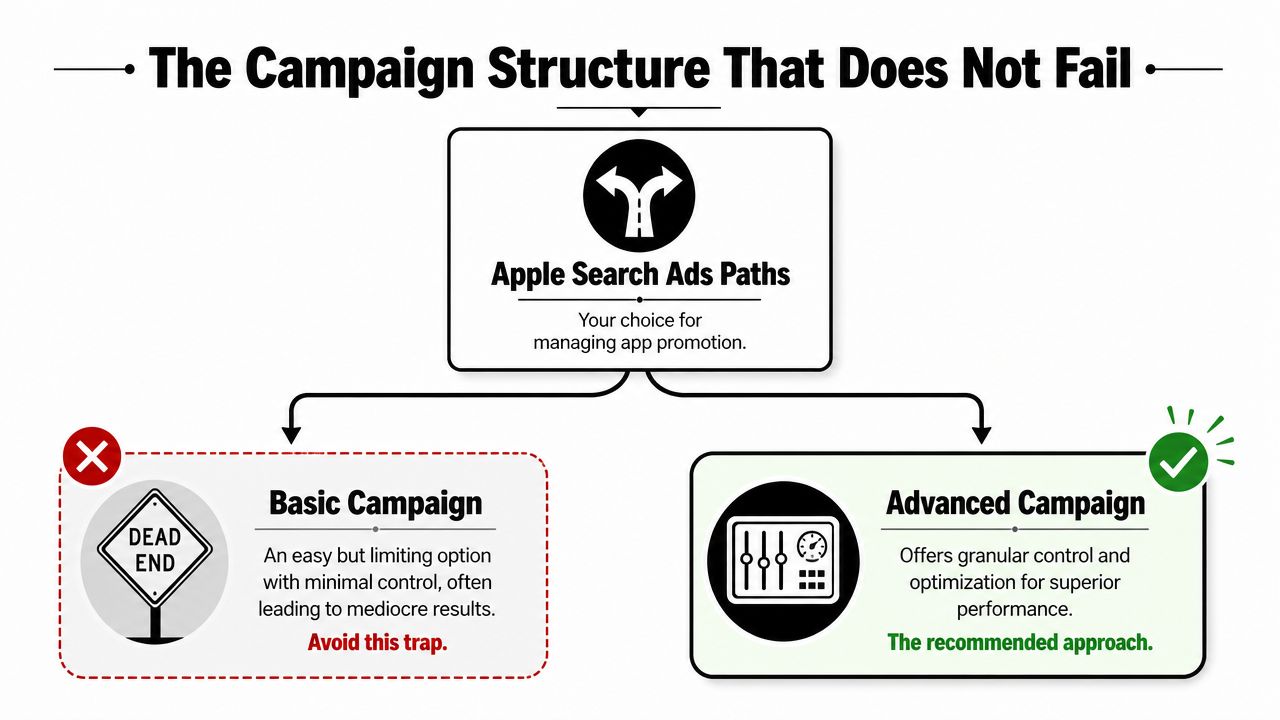
Basic was fine as an entry point when the product first arrived. But once a platform gives you keyword-level, ad-group-level, and campaign-level reporting, the “easy button” stops being helpful. It becomes a control problem. Founders don't need less visibility. They need fewer expensive black boxes.
If you want a clean account that scales without turning into a junk drawer, build around four campaign types:
Brand
Protect your own name. If someone searches for you, don't make them work for it.
Generic
These are your core category and use-case terms. This is usually where growth lives.
Competitor
Useful, touchy, often more expensive emotionally than financially. Keep it segmented so you can judge it coldly.
Discovery
This is your sandbox. Not your main house. Put broad exploration and Search Match here so they don't contaminate your cleaner campaigns.
This structure works because it separates different user intents, different economics, and different decision rules. You can't manage bids well if brand traffic, category traffic, and discovery junk all live in one soup pot.
Most accounts fail because ad groups are too broad. The fix is boring and effective. Group keywords by one intent theme, then align the product page experience to that theme.
A few examples:
| Campaign | Good ad group logic | Bad ad group logic |
|---|---|---|
| Brand | app name, close variations, brand terms | brand mixed with generic category terms |
| Generic | one feature or use case per ad group | “all useful keywords” in one pile |
| Competitor | one competitor or closely related set | every rival stuffed together |
| Discovery | isolated testing themes | discovery terms mixed into production campaigns |
Tight ad groups make decisions easier. If one theme gets expensive, you know where the problem lives. If one theme converts well, you can scale it without dragging dead weight with it.
Search Match can help you find things you didn't think to target. Fine. But keep it in its own lane.
Don't let Search Match run inside campaigns you use for disciplined bidding and clean readouts. Put it in Discovery. Review what it surfaces. Promote winning queries into Brand, Generic, or Competitor where you can control them properly.
That's the pattern. Discovery finds. Production campaigns monetize.
If Search Match is your strategy, you don't have a strategy. You have a suggestion box with a credit card attached.
I like Search tab as a separate top-of-funnel experiment, not as part of the core search architecture. Different intent, different expectations, different success criteria.
If you run it, don't judge it by the same standard as bottom-funnel keyword capture. Judge it by whether it supports branded search, category familiarity, or repeated App Store exposure over time. If you can't define that role clearly, skip it.
Founders waste a lot of money here because they treat Apple Search Ads like an auction problem. It is a product page problem first.
On Apple Search Ads, the click does not carry the sale. Your App Store page does. The icon, app name, subtitle, first screenshots, and preview video set the conversion ceiling. If that page is vague, pretty creative and clever bidding just buy you more expensive disappointment.
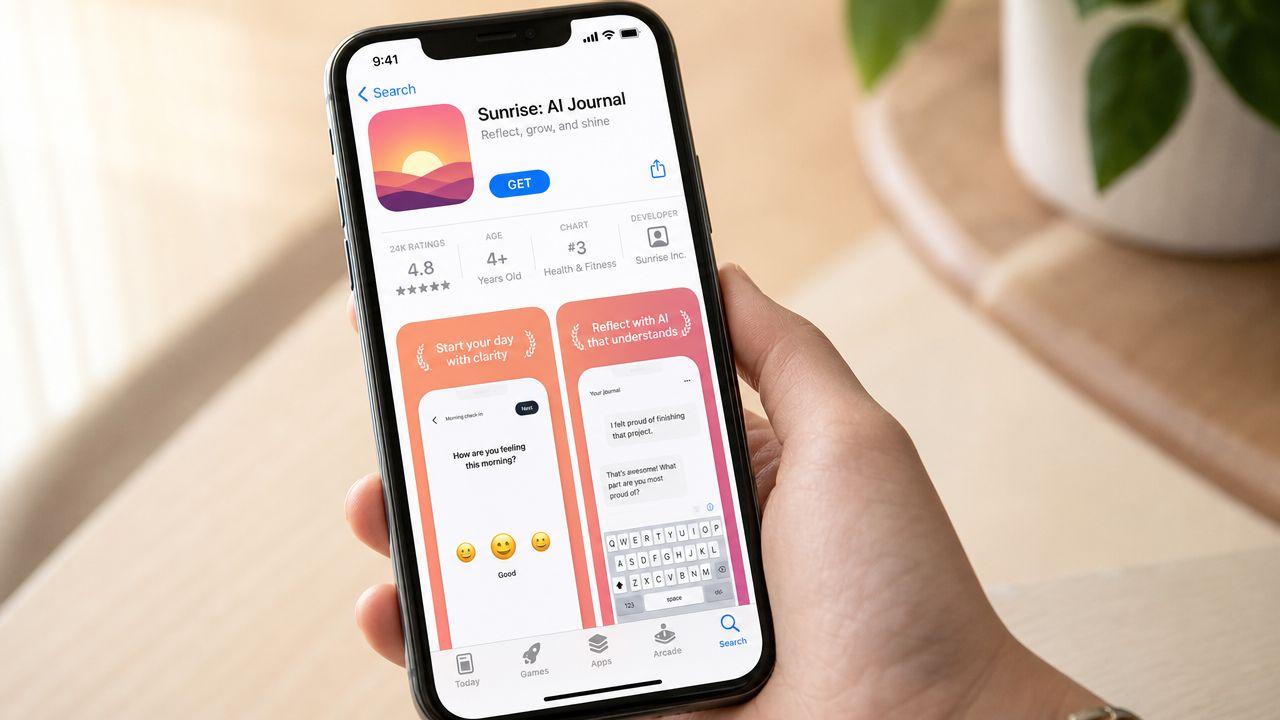
People do not study App Store pages. They skim and decide.
Your first screenshot set needs to answer three things fast:
If your first frame is clever but unclear, you are forcing the user to decode your product. That kills conversion. The App Store is full of substitutes, and nobody owes you extra attention.
Clarity beats polish. Specificity beats brand mood boards. If your app helps people sleep, say that immediately. If it saves time on invoices, show the workflow immediately. If it replaces a weak competitor, lead with the advantage that competitor cannot match.
Apple lets advertisers build up to 35 Custom Product Pages, each with up to 3 app previews and 10 screenshots, according to Proficio's Apple Search Ads creative formats guide. Use that room. Sending every search term to one generic page is lazy, and it burns budget on mismatched intent.
Build different pages for different reasons people search.
A few obvious examples:
This is not a design exercise. It is message matching tied directly to conversion and cost control.
Your default product page is a brochure. A Custom Product Page is a sales page.
Teams that win here do four things consistently.
Map pages to intent, not to random keyword piles
A search for “budget planner” and a search for “expense tracker for freelancers” may both fit your app, but they are not the same motivation. Show different proof.
Change the first impression first
The top of the page matters most. Reordering the ninth screenshot is usually fake progress.
Write blunt screenshot copy
Users should get the benefit in seconds. If your caption sounds like a brainstorm session, rewrite it.
Audit page-to-query fit every month
Weak performance is often a relevance problem dressed up as a bidding problem. Check tap-through rate, conversion rate, and downstream quality together with the core ad performance metrics that actually matter.
There is also a production constraint. Apple requires a structured asset setup, including accepted screenshot specifications such as the 6.5-inch iPhone size noted earlier. If your team cannot produce variants quickly and cleanly, testing slows down, learnings get muddy, and weak pages stay live longer than they should.
The practical takeaway is simple. Do not ask whether your screenshots look good. Ask whether they match search intent well enough to protect your budget from low-conviction taps. That is the standard that matters.
Founders get stuck on bids because bids feel tactical. The core question is financial. What is an install worth, how long does it take you to know, and how much waste can you tolerate while you learn? If you do not know those three numbers, Apple Search Ads can drain cash fast while still making the dashboard look respectable.
Apple gives you CPT, CPA, taps, and installs. Fine. Those are operating metrics. Your business runs on payback.
Set a target based on what the user is worth in the first 30 to 90 days, not on what feels cheap in the interface. A low CPA can still be bad business if those users churn instantly. A high CPA can be a gift if retention and revenue hold up.
If you need a clean framework for judging ad performance metrics that connect spend to business outcomes, use one before you touch bids. Otherwise you will optimize for neat-looking numbers and call it discipline.
Use CPT first if you are still learning the account.
That is my recommendation because early on, control beats convenience. CPT gives you tighter control over traffic costs by keyword theme. CPA can help later, once you already know which searches produce users you consider valuable. Handing automation a messy account is how teams teach the system bad habits with real money.
| Bid lens | What it helps with | Where it goes wrong |
|---|---|---|
| CPT | Lets you control tap costs and see keyword-level economics clearly | You can pay for curiosity clicks that never become valuable users |
| CPA | Can improve acquisition efficiency once conversion patterns are stable | You can trust automation before you understand what is driving results |
The sequence matters. Start manual. Get signal. Then give the platform more room.
You do not need a big launch budget. You need a test with hard boundaries.
A useful early test answers four questions:
Keep the test narrow enough that the result means something. One market is better than five. A few clear intent buckets are better than a giant mixed bag. Small budgets spread across too many variables do not buy learning. They buy ambiguity.
Spend small to learn fast. Do not spend small and stay confused.
Average numbers are fine for orientation. They are terrible for decision-making.
If your tap-through rate looks strong but conversion is weak, the problem usually sits after the tap. If taps are weak but the users who do arrive convert well, your targeting or your visible value proposition is off. If costs are high across the board, the account usually has a structure problem, a relevance problem, or a bid problem. Sometimes all three.
Use benchmarks the way an operator uses a warning light. They tell you where to inspect. They do not tell you whether the engine is healthy.
I do not use one universal threshold for "good" because app economics are too different. A subscription app, a utility app, and a game should not share the same success line.
I do use a simple filter:
Cheap taps are not the goal. Cheap installs are not the goal either. The goal is installs that pay you back in a timeframe your company can survive. That is the money talk founders need to have before they scale anything.
Apple Search Ads can make bad marketing look disciplined.
That is the measurement trap. The channel captures high-intent demand, reports plenty of numbers, and makes it easy to feel smart while you over-credit the platform for installs that may have happened anyway. If you do not separate signal from self-congratulation, you will keep funding what looks efficient inside Apple instead of what actually grows the business.
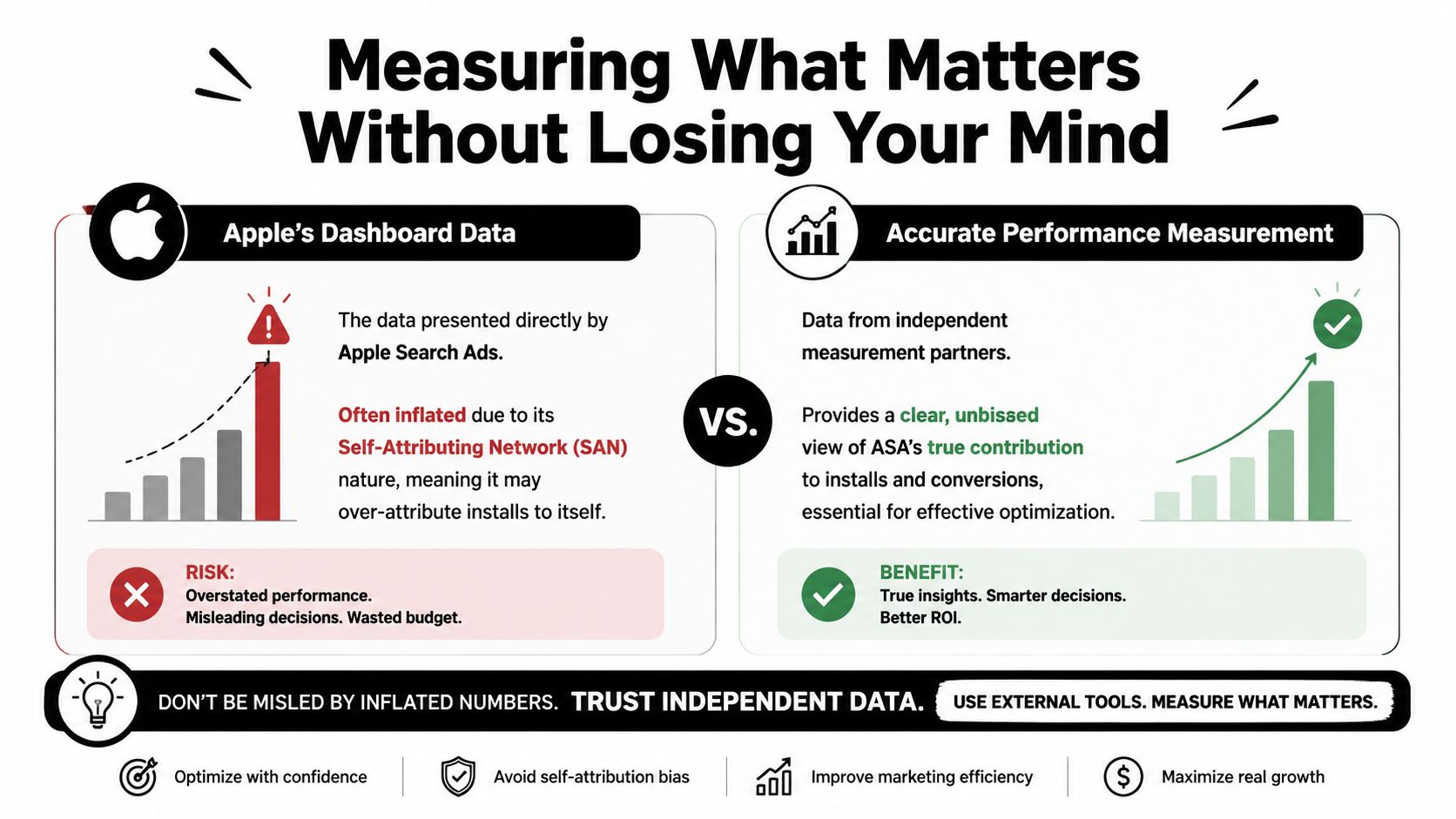
Use Apple's dashboard for the job it is good at. It helps you manage bids, compare search terms, spot weak ad groups, and make day-to-day decisions quickly.
It does not get the final vote on performance.
Once you run paid social, search, influencer, email, or even decent brand demand, every platform starts claiming a bigger share of the win. Apple is no different. You need a second system outside the ad platform to judge whether the installs are incremental, whether they retain, and whether they pay back.
If you need to tighten up that logic before reallocating spend, read this guide to attribution modeling for paid acquisition decisions.
Treat tap-driven installs as your operating signal. A user searched, saw your ad, tapped, and installed. That chain is close enough to action that you can optimize against it with confidence.
View-through data is different. Apple can report installs and downloads that happen after an ad impression without a tap. That can reflect real influence. It can also reflect branded demand, prior awareness, or a user who was already on the way to your app.
Do not build budget decisions on that fog.
My rule is simple:
Founders get in trouble here because view-through numbers make weak campaigns look helpful. Helpful is not the same as incremental.
A sane measurement stack has three layers:
Apple Search Ads reporting
Use it for in-platform actions. Bids, search term reviews, placement decisions, and creative comparisons.
An MMP or analytics layer outside Apple
Use it to compare Apple against your other channels on one scoreboard.
Business metrics from your product and finance stack
Activation, trial start, subscription conversion, repeat usage, retention, and revenue quality decide whether the installs matter.
If those three layers tell different stories, trust the one closest to cash.
That usually means product and revenue data win the argument.
Early-stage teams often obsess over CPI because it is easy to see and easy to celebrate. That is fine for the first pass. It is a bad way to scale.
If you are still proving basic channel fit, watch cost per install and first-week activation. Once the channel starts spending real money, shift fast to cost per trial, cost per subscriber, or payback period. Install volume without downstream quality is how teams burn budget politely.
A campaign that produces more expensive users can still be the better campaign if those users stick, subscribe, and pay back faster. A cheap campaign that fills your funnel with low-intent users is just a discounted mistake.
You do not need twenty dashboards. You need a few questions answered every week:
That is enough to stay honest.
View-through reporting is a hint, not a verdict.
The teams that stay disciplined with Apple Search Ads do not win by staring at more charts. They win by refusing to reward vanity metrics, forcing attribution to prove itself, and tying spend to outcomes the finance team would respect.
A lot of founders can launch Apple Search Ads themselves. That's not the hard part.
The hard part is maintaining keyword hygiene, cleaning search intent buckets, aligning Custom Product Pages, checking attribution sanity, and making budget calls without getting distracted by whatever looked good this week. That's real work. Repetitive, sharp-edged, expensive-if-neglected work.
Handle it yourself if all of this is true:
Founders should absolutely learn the mechanics. You don't need to become a career media buyer, but you do need enough scar tissue to know when someone else is doing good work versus just exporting pretty charts.
Bring in a specialist when any of these start happening:
That last one is common. “I'll look at it Friday” becomes “I haven't checked search term quality in three weeks.” Congratulations. You now have a silent budget leak.
A good Apple Search Ads operator doesn't just manage bids. They protect focus. They stop broad intent from contaminating exact intent. They prevent lazy budget allocation. They make sure your product page strategy and acquisition strategy are talking to each other.
If you need one, hire someone who specializes in the channel. Generalist paid media knowledge helps, but Apple Search Ads has enough quirks to punish half-attention. A focused Apple Search Ads specialist will usually spot account waste faster than a broad performance marketer juggling six platforms.
It's simple. You can DIY longer than you should. Most founders do.
That doesn't make it efficient.
If you need help finding someone who knows paid acquisition and won't learn on your budget, HireMediaBuyers.com is a practical place to start. They focus on pre-vetted media buyers and paid ads specialists, so you can skip the freelancer roulette, move faster, and get a real operator in the seat without turning hiring into its own side quest.


