

You've got a polished TikTok ad, a launch date, and a creative team waiting for approval. Then Ads Manager rejects the file, or the approved version lands in-feed looking like it was compressed through a toaster. The culprit is usually not the concept. It's a spec mismatch, a placement mismatch, or a production workflow built on an outdated checklist.
TikTok specs aren't one universal rulebook. Auction In-Feed ads, Spark Ads, and reservation placements such as TopView have different operating realities. Treating them as interchangeable wastes editing hours and makes good creative look cheap. This guide focuses on the practical production decisions that keep assets compliant, sharp, and usable across buying methods.
A media buyer sends a final asset to review. The video is vertical, the hook is strong, and the call to action is clear. It still gets kicked back because the file was prepared for a different placement, the creator post can't be edited as a Spark Ad, or key text sits underneath TikTok's interface.
That cycle happens because teams often copy one spec sheet into every campaign. TikTok's official documentation distinguishes between auction In-Feed inventory and reservation placements, yet many internal workflows flatten both into “vertical video, upload, done.” That shortcut is expensive. A rejected file costs a reshoot or re-export, while a technically accepted file can still lose clarity during delivery.
The fix starts with assigning the buying method before production begins. Don't ask a designer for “a TikTok ad.” Ask for an auction In-Feed master, a Spark-ready organic post, or a TopView asset. Those are different jobs, even when they share a portrait frame.
Production rule: Choose the placement first, then build the asset around its actual delivery environment.
Creators and editors should also see the preview as part of production, not as a final administrative step. A native UGC concept may work beautifully when posted organically, but its caption, framing, and authorization status can create limitations once paid media enters the picture. Teams building UGC-style ads need a handoff that covers both the creative idea and the media destination.
Most failed launches aren't dramatic. They're small operational misses repeated across a library of assets. One wide export, one overloaded caption, one buried CTA, and suddenly the campaign team is spending Friday night fixing files instead of testing hooks.
Start with a production baseline, but don't mistake it for a universal approval guarantee. TikTok's current publishing environment centers on portrait-first video, with 9:16 and 1080 × 1920 pixels serving as the practical master format for most in-feed work. The platform's mainstream upload envelope commonly supports files of about 287.6 MB on iOS and Android, while standard video lengths commonly reach 10 minutes, with select accounts or workflows reaching 60 minutes according to the current TikTok video size guide.
The file container matters too. TikTok's official preview guidance accepts MP4, MPEG, 3GP, AVI, and MOV. For routine delivery, MP4 and MOV remain the sensible choices because they're familiar to editors, review tools, and ad operations teams.
| Specification | Requirement | Notes |
|---|---|---|
| Core production format | 9:16 vertical | Best fit for full-screen smartphone viewing |
| Recommended master | 1080 × 1920 pixels | Use as the primary portrait asset |
| Common upload ceiling | About 287.6 MB on iOS and Android | Confirm the limit in the active workflow |
| Common video duration | Up to 10 minutes | Select accounts or workflows may reach 60 minutes |
| Accepted containers | MP4, MPEG, 3GP, AVI, MOV | MP4 and MOV are practical defaults |
| Auction In-Feed ratios | 9:16, 1:1, 16:9 | Placement strategy should determine the variant |
| Caption handling | Placement-dependent | Don't borrow organic limits blindly |
The most important operational distinction is that baseline specs describe what can be accepted, not what should be produced. A long video may upload successfully and still be a poor performance asset. A square file may pass validation and waste most of the available mobile screen. A high-resolution file may look excellent in your editing suite but degrade if the export is poorly encoded.
Build one clean master, keep the source project editable, and create placement variants only when the media plan calls for them. That approach saves more time than maintaining a chaotic folder of vaguely named exports.
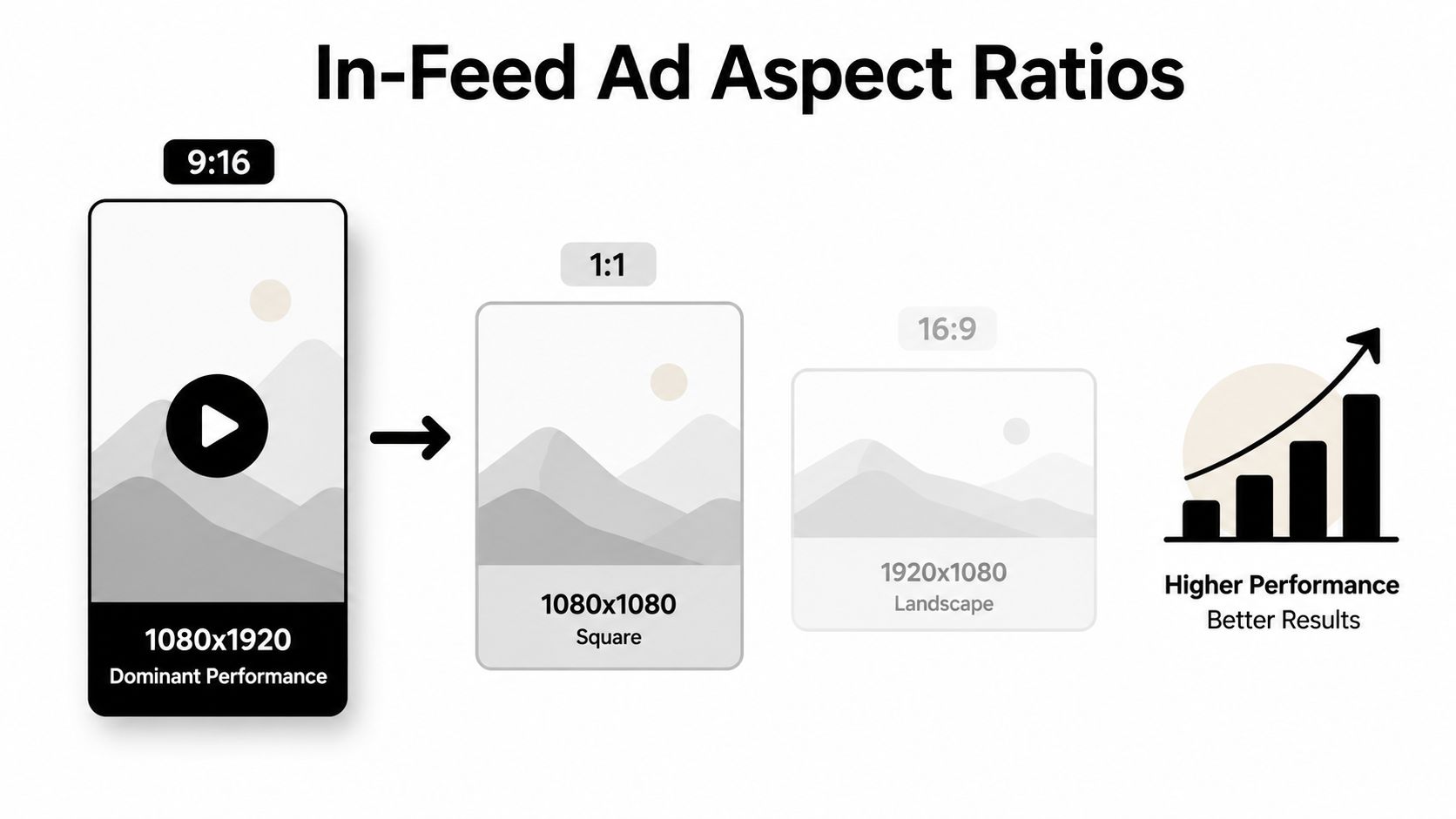
Auction In-Feed ads support 9:16 vertical, 1:1 square, and 16:9 horizontal formats. TikTok lists minimum resolutions of 540 × 960 for vertical, 640 × 640 for square, and 960 × 540 for horizontal in its official auction In-Feed specifications.
Technical permission doesn't make every ratio equally useful. I recommend producing the core master at 1080 × 1920, then deriving square or horizontal versions only when the placement plan needs them. Portrait fills the phone screen. Square gives you reuse flexibility but forfeits screen area. Horizontal is the usual “we already had this TV spot” compromise, and it often looks like one.
TikTok permits auction In-Feed video durations up to 10 minutes, which is useful for long demonstrations, detailed testimonials, or content with a genuine narrative reason to run longer. It doesn't mean every direct-response ad should become a short documentary. In production, the message should arrive early, and the edit should earn every additional second.
If the creative team edits in a horizontal format and crops later, the crop will decide what survives. Faces shift out of frame, product demonstrations lose context, and on-screen text gets squeezed into awkward corners. Give editors the final frame before they cut the first sequence.
Safe-zone planning belongs in the storyboard. Keep the product, hook, proof, and CTA away from the areas where native interface elements can compete for attention. Don't place a beautiful offer directly beneath the caption or beside the engagement controls, then act surprised when nobody can read it.
For teams turning one concept into multiple paid variants, short-form video ad production works best when the master has clean layers, replaceable text, and a subject positioned for reframing. That's not glamorous advice, but it beats rebuilding the whole edit because the first version was composed like a YouTube pre-roll.
Standard In-Feed ads start with an uploaded advertising asset. Spark Ads start with an existing organic TikTok post, yours or a creator's, and use that post as the paid creative. The difference sounds simple until the media buyer tries to change the caption, framing, or call to action after authorization.
A standard upload gives the creative and media teams more control over the asset they submit. A Spark Ad inherits the organic post's published context. That can preserve the native feel and existing engagement, but it also locks the team into decisions made before the paid campaign existed.
| Specification | Standard In-Feed | Spark Ads |
|---|---|---|
| Creative source | Uploaded ad asset | Existing organic TikTok post |
| Aspect ratio | 9:16, 1:1, or 16:9 supported for auction In-Feed | Inherits the original post's dimensions |
| Caption | Prepared for the ad workflow | Pulled from the original post |
| Editing after setup | Creative can be re-exported and replaced | Original post content is generally locked |
| Creator involvement | Optional | Authorization is required when using another account |
| Best operational use | Controlled testing and rapid iterations | Creator-led content and native social proof |
| Main risk | Teams ignore placement overlays | Teams assume the organic post is fully editable |
The authorization token process also changes iteration speed. If a creator has to approve each new post or the team needs a fresh authorization for a replacement asset, a supposedly fast test can stall. Decide whether the existing post is strong enough to accept as-is before you build the campaign around it.
Request a new organic post when the original has an unusable crop, a caption that conflicts with the offer, or a hook that lands too slowly for paid traffic. Accept the limitation when the post's native context is the point and the remaining constraints won't interfere with the campaign objective.
Spark Ads aren't a magic escape hatch from production standards. They solve a distribution problem, not a composition problem. If the original video was framed poorly, paid spend won't rescue it. It'll help more people notice the mistake.
Reservation inventory requires earlier coordination because the asset is tied to a premium placement and a scheduled buying arrangement. TopView supports video up to 60 seconds, while TikTok's placement guidance recommends 9 to 15 seconds for that inventory. That recommendation tells you how to edit, even when the technical ceiling gives you more room.
For TopView, use a portrait-first master and front-load the message. The viewer should understand the brand, offer, or launch moment before the interface and scrolling behavior take over. A cinematic opening that spends several seconds establishing mood is a luxury most reservation placements don't reward.
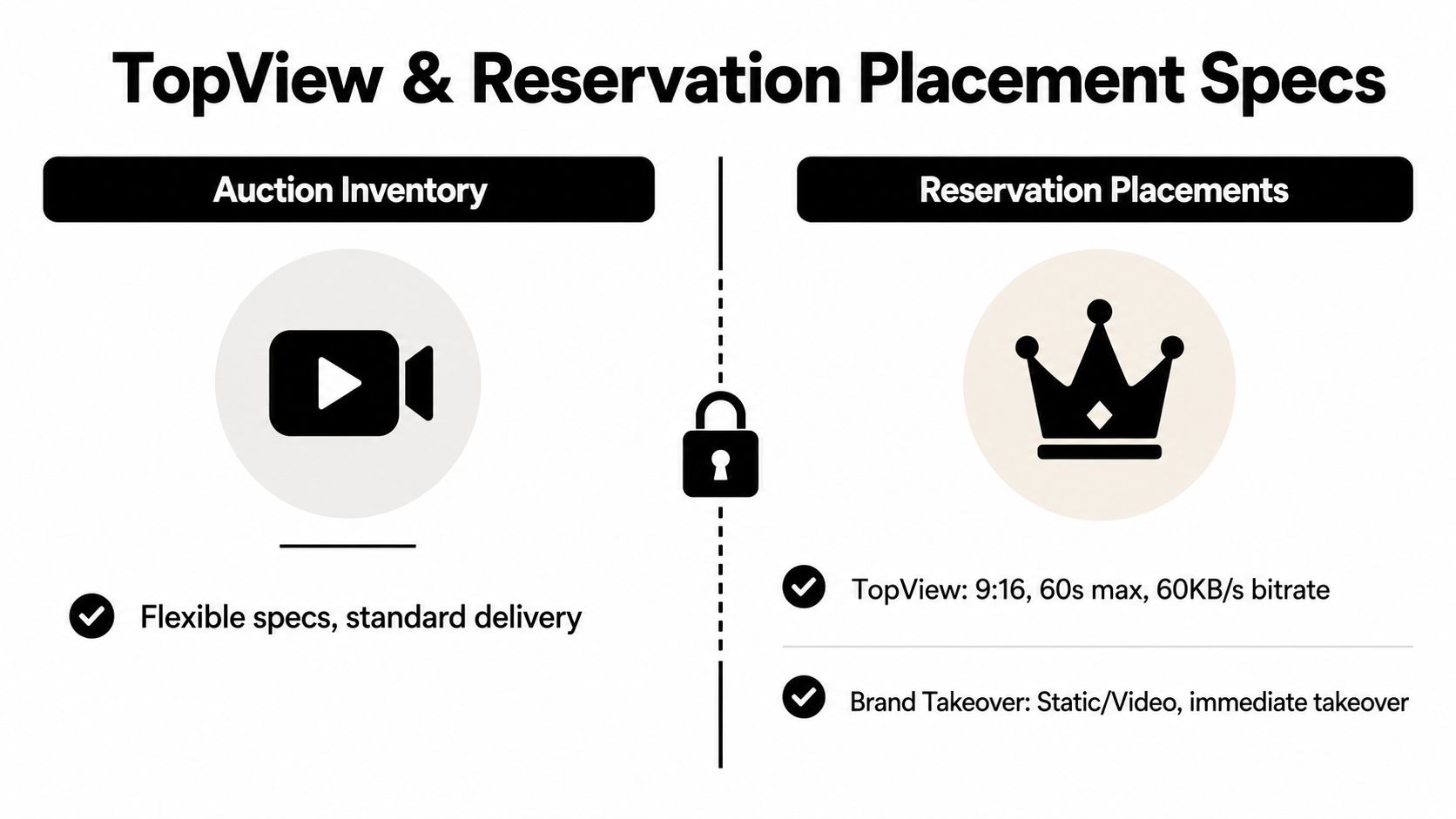
The important technical distinction is playback quality. TikTok's official preview guidance calls for a bitrate above 2500 kbps for TopView and above 350 kbps for non-TopView inventory. Use the higher-quality master where the placement justifies it, rather than exporting every asset as a giant file and hoping the platform sorts it out.
Confirm the placement and market first. Availability and requirements can vary by reservation package and region. Don't finish a global master before confirming where it can run.
Create a dedicated TopView edit. Keep the opening immediate, the branding legible, and the visual hierarchy simple. Don't recycle a crowded auction edit without checking the full-screen experience.
Validate the export before handoff. Check the container, dimensions, playback, audio, and bitrate. Reservation review is a bad place to discover that the “final” file was a preview export.
Brand Takeover and other reservation formats shouldn't be treated as interchangeable with TopView. Their creative environments and review gates differ, so use the placement brief supplied for the specific buy. The auction In-Feed option to run 16:9 doesn't make a sensible default for premium full-screen inventory.
A file can pass upload validation and still look terrible after delivery. TikTok accepts MP4, MPEG, 3GP, AVI, and MOV, but the container is only the first checkpoint. The export needs enough visual information to survive transcoding without turning fine text, gradients, and fast movement into mush.
The official bitrate guidance is blunt. TopView assets should exceed 2500 kbps, while non-TopView inventory should exceed 350 kbps, according to TikTok's ad preview guidance. I'd treat those as floor-level delivery requirements, not creative quality targets. A technically compliant minimum can still be a poor choice for a detailed product demonstration.
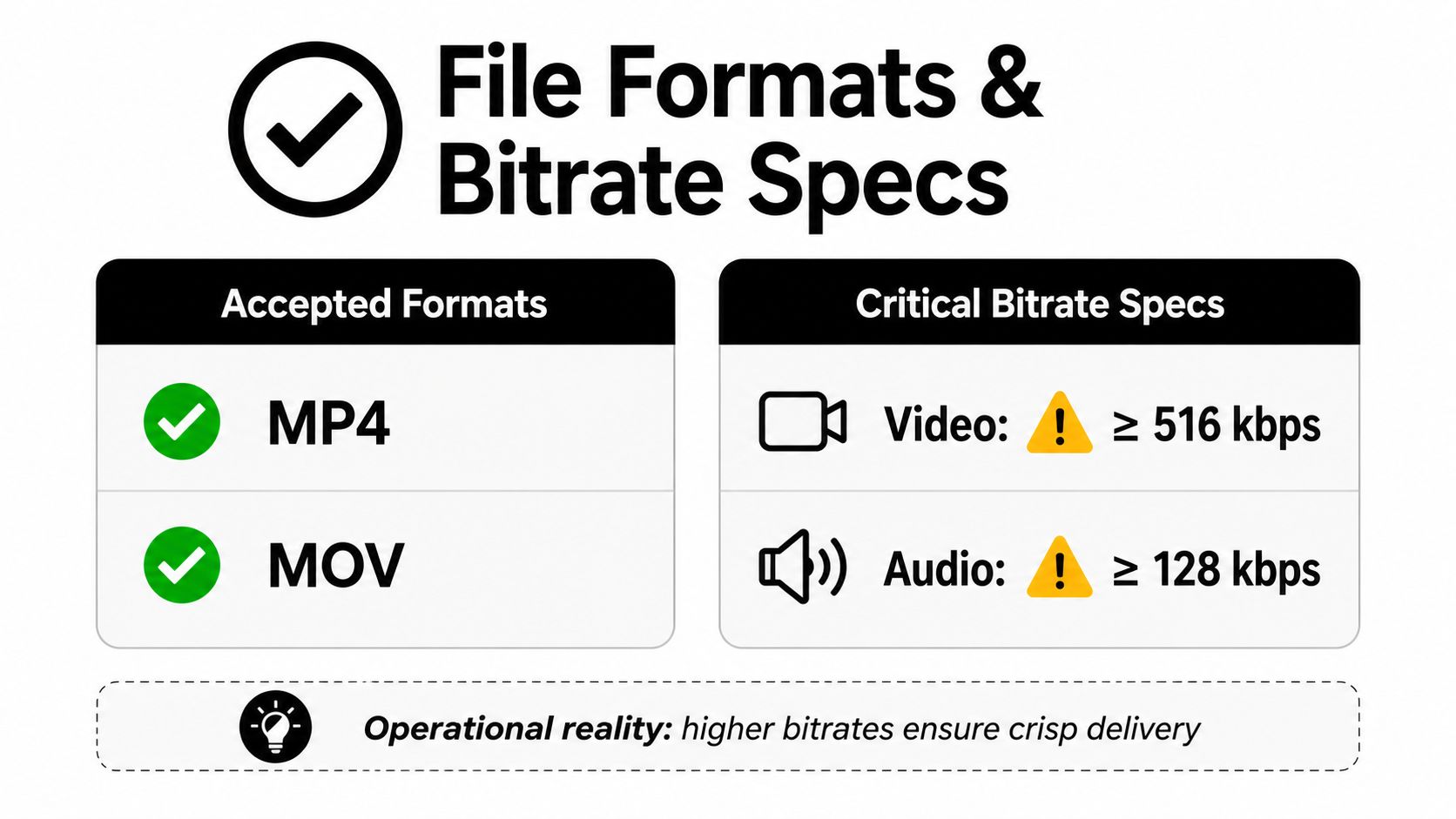
Use a broadly compatible MP4 or MOV export for standard delivery, and preserve a higher-bitrate master for premium placements. H.264 is the practical default when compatibility matters. Newer codecs may reduce file size, but if a downstream workflow transcodes them unpredictably, the theoretical efficiency isn't worth the troubleshooting.
Audio deserves the same attention. TikTok's accepted video containers don't guarantee that a voiceover will survive a careless audio export. Check that speech is clear, music doesn't overpower the hook, and the final file plays correctly on the intended devices before upload.
Compression complaints usually point to a specific production issue:
Frame rate should follow the footage and the action. Use a higher frame rate when motion benefits from it, not because the export menu offers the option. A clean, properly encoded 30fps edit is often more operationally sensible than a bloated high-frame-rate file that adds no visible value.
Branded Effects, Branded Mission, and Playable Ads don't fit neatly into a standard video export checklist. They involve interactive behavior, platform-specific packaging, and a review process that can't be completed by dropping an MP4 into Ads Manager.
That changes the production team you need. A media buyer can define the campaign objective and placement, but an effects developer or interactive specialist must handle the experience itself. Treating AR development like a quick overlay request is how launch calendars become fiction.
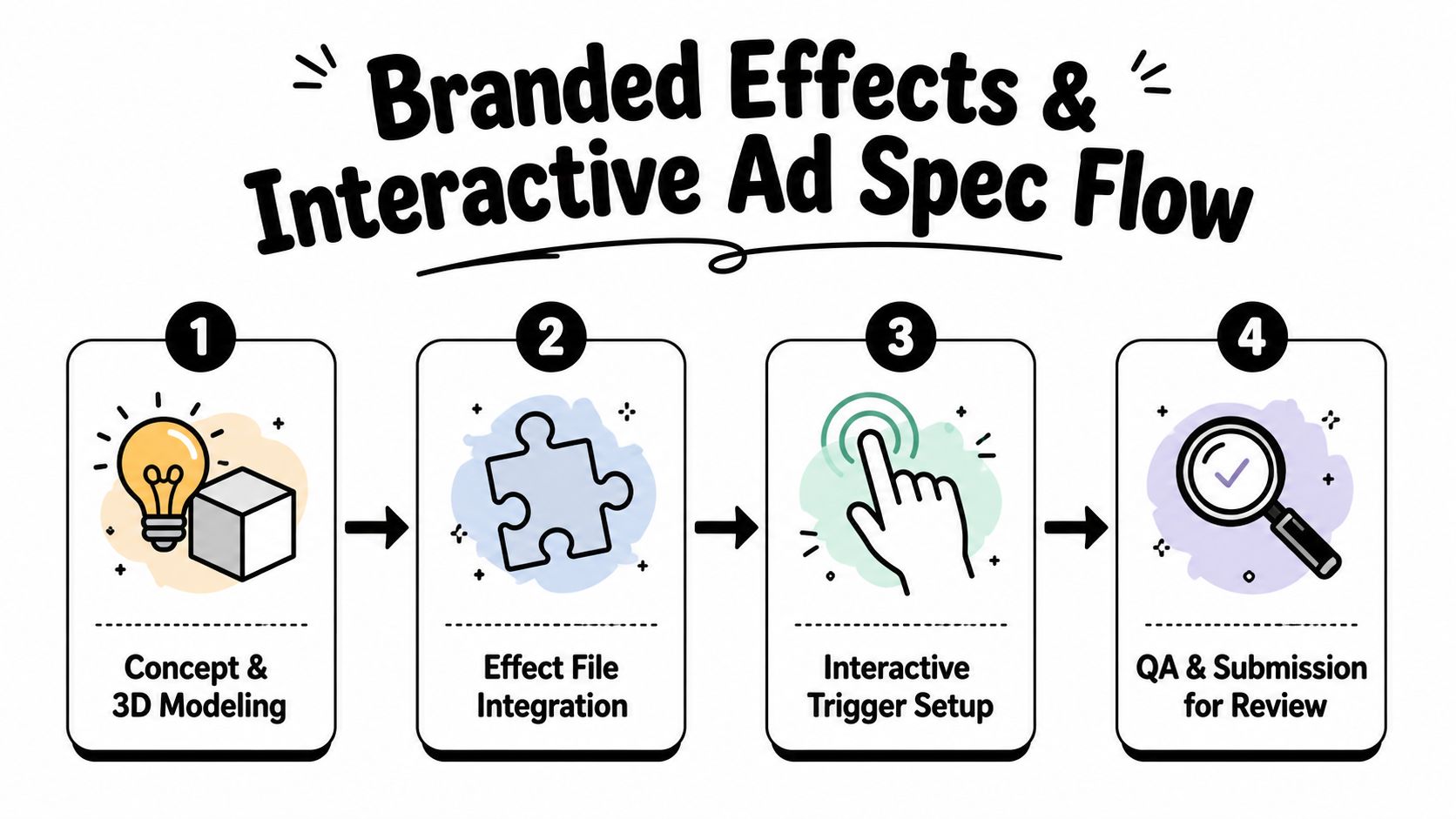
Start with the user action. Will someone tap, swipe, move their face, or trigger an object through a gesture? The interaction should be defined before the creative team models assets, because the trigger determines testing and packaging requirements.
Effect House belongs in the workflow from the beginning, not the night before launch. Test the effect on representative devices, check how branding behaves over faces or environments, and document the activation path for the media team. A beautiful effect that users can't understand or trigger is expensive decoration.
Interactive work also needs a clean asset inventory:
Don't invent a generic file-size rule and apply it to every interactive format. Requirements can vary by product, placement, and TikTok's active review process. Confirm the current technical package with the platform contact or documentation tied to the specific buy. The operational lesson is simple, interactive formats need a dedicated technical owner and a review buffer.
The most common mistake is producing one “universal TikTok file.” That file usually starts as 16:9, gets cropped into portrait, and loses the product, speaker, or headline that made the concept work. Fix it by composing the master in 9:16 from the beginning, then creating other ratios as intentional variants.
Another recurring problem is treating safe zones as optional. The editor places the offer at the bottom because it looks balanced in the clean export. TikTok then adds captions, buttons, and account controls over the same area. Move critical information toward the central-left viewing area and inspect the creative with the platform interface visible.
H.265 can be efficient, but compatibility and transcoding behavior matter more than codec fashion. If a file produces device-specific artifacts, use a more broadly supported export and compare the delivered preview before spending budget.
Spark Ads create a separate misconception. They use organic posts, but that doesn't mean every organic decision remains suitable for paid distribution. The caption, framing, and authorization status can constrain the campaign. Review the post as an ad before promoting it, and request a re-upload when the limitations affect the message.
Launch-room reality: Validation tells you whether TikTok can accept the file. Preview inspection tells you whether the audience can actually see it.
Use this table during briefing and asset review. Where TikTok's published requirements differ by placement or buying method, the buying team should confirm the active campaign specification rather than relying on a recycled spreadsheet.
| Ad Format | Aspect Ratio | Resolution | File Type | Max File Size | Max Duration | Caption Limit |
|---|---|---|---|---|---|---|
| Auction In-Feed Ads | 9:16, 1:1, 16:9 | 540 × 960, 640 × 640, or 960 × 540 minimums | MP4, MPEG, 3GP, AVI, MOV | About 287.6 MB commonly reported for mobile uploads | Up to 10 minutes | Placement-dependent |
| Spark Ads | Original post ratio | Matches original post | Existing organic post | Organic workflow limit | Organic workflow limit | Original post caption |
| TopView | 9:16 recommended | Portrait master recommended | MP4, MOV and accepted preview formats | Confirm active reservation limit | Up to 60 seconds | Placement-dependent |
| Brand Takeover | Placement-specific | Confirm campaign brief | Video or static asset | Confirm active reservation limit | Short-form reservation duration | Limited or placement-dependent |
| Branded Effects | Interactive effect package | Effect-specific | Effect assets and platform package | Confirm active effect brief | Experience-dependent | Campaign-specific |
| Branded Mission | Campaign-specific interactive assets | Confirm campaign brief | Platform-approved assets | Confirm campaign brief | Campaign-specific | Campaign-specific |
| Playable Ads | Interactive portrait canvas | Platform-specific | HTML5 package | Confirm active playable brief | Interactive | Campaign-specific |
For a final sanity check, separate auction and reservation decisions before anyone exports:
| Check | Auction In-Feed | Reservation Placement |
|---|---|---|
| Ratio strategy | 9:16, 1:1, or 16:9 supported | Confirm the specific placement |
| Runtime | Up to 10 minutes for auction In-Feed | TopView supports up to 60 seconds |
| Delivery quality | Above 350 kbps for non-TopView guidance | Above 2500 kbps for TopView guidance |
Audit the current creative library today. Sort every file by buying method, placement, ratio, container, bitrate, and safe-zone status. Flag anything that depends on an automatic crop or contains critical text near the interface areas, then re-export the highest-priority assets before the next campaign flight.
Use TikTok's in-platform validation as the first check, not the last word. A file can pass technical review and still look soft, crowded, or unreadable on a smaller device. Pair the spec audit with a preview review and a clean naming system so the media buyer knows exactly which master belongs to which placement.
Keep this reference bookmarked and share it with creative, especially if your team also manages conversion tracking. TikTok updates capabilities and placement rules, and a quiet change in delivery behavior can make last quarter's export look wrong without anyone touching the original project.
If your team needs someone who can turn TikTok specs into a reliable launch process, HireMediaBuyers.com connects companies with vetted media buyers and paid ads specialists, including professionals experienced with TikTok campaigns. Visit HireMediaBuyers.com to find flexible paid media talent and stop losing launch time to avoidable creative rework.


