

A lot of Bing Ads accounts fail for a simple reason. Someone treats Microsoft Advertising like a quick import job instead of a channel that needs real operating discipline.
That mistake gets expensive fast.
Bing Ads management is worth the effort in the right cases. It can produce profitable volume, lower CPCs in some verticals, and reach buyers your Google campaigns miss. It can also waste money unnoticed if you leave bad defaults in place, let the Audience Network run unchecked, or hire someone who only knows how to duplicate a Google setup and call it strategy.
The right question is not whether Bing is "good." The right question is whether your offer, tracking, and account control are strong enough to make the platform pay you back.
If they are, run it seriously. If they are not, fix the basics first or hire a Google Ads specialist who also understands cross-platform paid search operations.
Microsoft Advertising is a mature ad platform with its own behavior, its own blind spots, and its own ways to burn budget. The teams that win here do not win because they imported faster. They win because they know when Bing deserves attention, where the platform goes off the rails, and how to spot the difference between a real operator and a budget burner.
Treating Microsoft Ads like an afterthought is a common mistake. Teams import Google campaigns, leave settings on default, and then act surprised when lead quality slips and spend drifts into places they never meant to buy.
That mistake usually starts with the wrong assumption. Bing is not a smaller Google account. It is a separate operating environment with its own traffic mix, its own default settings, and one expensive trap that catches lazy managers fast: distribution outside core search intent, especially through audience placements you did not mean to prioritize.
Imported campaigns are a starting point. They are not a strategy.
Microsoft Ads works well for a narrow type of advertiser. You need clear search intent, clean tracking, and enough margin to test without panicking after a few uneven days. If you have that, the platform can earn its keep. If you do not, Bing will expose every weak spot in your setup faster than your team expects.
The biggest error is operational, not strategic. Someone assumes the Google structure is "close enough," skips a real rebuild, and never checks where impressions are coming from. Search traffic can still be solid. The trouble starts when account managers leave network choices broad, fail to segment what deserves its own budget, and judge the channel before they have isolated intent from junk.
That is why "Google Lite" is the wrong frame. Lite suggests simpler. Microsoft Ads is less forgiving.
Start small and start with control. Launch the highest-intent campaigns first. Use the terms and offers that already prove they can turn into revenue. Then watch placement, search terms, and lead quality like a hawk for the first few weeks.
A practical approach looks like this:
Here is the blunt version. Bing Ads management is worth the effort when you want incremental demand and you have the discipline to control settings, segment traffic, and cut weak inventory without sentiment. It is not worth the effort if your plan is to clone Google, check back later, and hope the platform sorts itself out.
A flawed account structure is a primary reason Bing campaigns fail. Teams rush the setup, import a mess from Google, and call it done. A month later, nobody can answer basic questions. Which query themes produce qualified leads? Which campaigns deserve more budget? Where is the waste coming from?
That confusion is expensive.
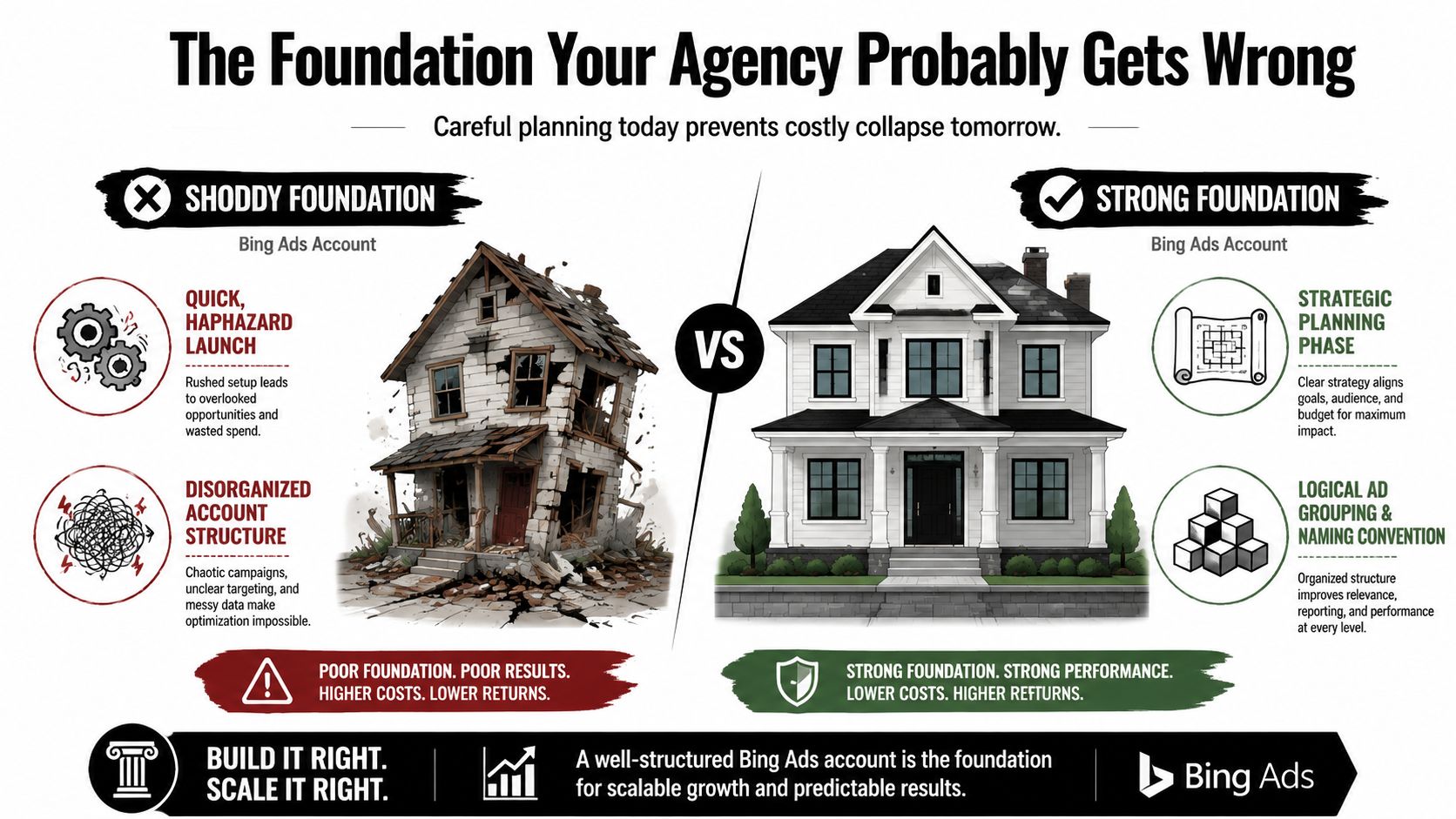
Microsoft Ads gives you enough quirks that sloppy structure hurts faster here than many teams expect. If your campaigns mix search intent, audience traffic, and vague ad group themes, you will spend your time guessing instead of managing.
The right workflow is simple. Audit the imported structure first. Rebuild campaigns around clear intent and business goals. Install UET before real spend. Then optimize from search terms, conversion quality, bid movement, and exclusions.
If you skip the rebuild and jump straight to bidding, you are optimizing noise.
Here is the practical difference:
| Account type | What it looks like | What happens next |
|---|---|---|
| Chaos structure | Bloated campaigns, recycled Google naming, mixed match types, audience settings buried in the wrong places | Search terms blur together, budget leaks stay hidden, reporting stops being useful |
| Control structure | Clear campaign purpose, tight ad groups, naming that signals intent, traffic sources separated on purpose | Query review is faster, ad relevance improves, budget cuts and budget increases get easier to justify |
These are requirements, not preferences.
I rebuild accounts in four layers:
That is enough. You do not need a clever framework. You need one that makes bad traffic obvious.
Practical rule: If you pull a search term report and cannot tell where a query should have lived, the structure is too loose.
This is also where weak agencies expose themselves. They import everything, keep the inherited clutter, and promise optimization later. That saves them time, not you money. A proper rebuild takes longer up front, but it makes the account diagnosable. In Bing Ads management, that is the difference between an operator and someone burning budget with a login.
Effective management goes far beyond setup. It lives in the daily decisions on bids, budgets, and what traffic you are willing to pay for. Hand the wheel to automation too early and Bing will spend your money on queries that look plausible in the interface and worthless in the CRM.
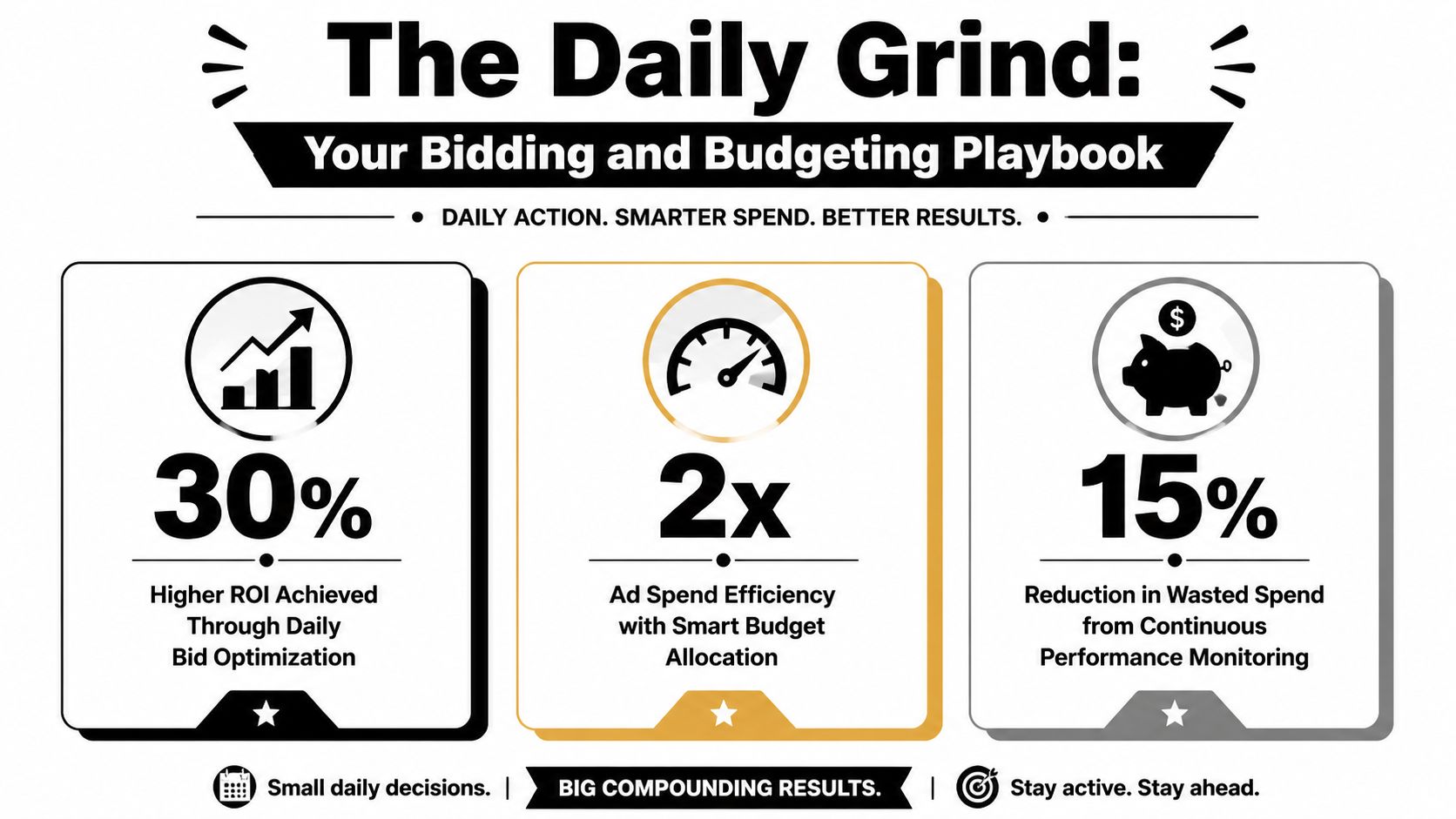
Ignore the decorative infographic stats. The lesson is simpler. Bing rewards active operators, and it punishes passive ones a little more subtly than Google does.
Microsoft Ads often gives you cheaper clicks. That is useful only if you keep quality under control. Lower CPCs create a dangerous illusion that inefficiency is affordable. It is not. A cheap click from the wrong query, wrong device, or wrong network placement still drains budget and muddies your conversion data.
Bing also has a habit of hiding waste behind decent looking averages. You can have an acceptable account-level CPA while one campaign is carrying the whole account and two others are lighting cash on fire. If you only review top-line performance, you miss the leak.
The job is simple to describe and tedious to do. You decide where the next dollar goes, where it stops going, and which campaigns have earned more room.
I like boring budgets. Boring budgets produce readable data.
Use a steady cadence:
One more rule. Do not spread budget evenly to make the account look tidy. Uneven allocation is healthy when performance is uneven.
Bids should reflect conversion quality, not vanity metrics.
If one campaign drives form fills from junk leads and another drives fewer leads that actually close, the second campaign deserves the stronger bid posture. Bing accounts go sideways when managers optimize to front-end volume because it looks good in a report.
Review bids through a few lenses:
That sounds obvious. It rarely happens with discipline.
Pull the search term report every week. In unstable accounts, check it more often.
You are looking for wasted spend, but also for patterns. Repeated irrelevant searches usually point to a bidding and match-type problem, not just a missing negative. If broad match keeps dragging you into research queries, job seekers, DIY traffic, or low-intent comparisons, stop pretending the system will sort it out for you. Tighten it.
Ask these questions every time you review terms:
If you have not reviewed search terms lately, you do not know what you are buying.
Automation has a place. Early trust in automation does not.
Use manual bidding, or at least tighter controls, when the account is new, conversion volume is thin, lead quality is inconsistent, or tracking has any gaps. That phase teaches you what traffic converts on Microsoft Ads and where the platform tries to expand beyond your intent.
Use automated bidding after the account has earned it. That means stable tracking, clear conversion definitions, enough data, and clean campaign segmentation. Even then, keep watching budget distribution and query quality. Smart bidding can help with auction-time decisions. It cannot fix bad goals or bad traffic.
My default view is blunt. Automation is an assistant, not a babysitter.
A lot of Bing accounts lose because they obsess over keywords and ignore everything that shapes traffic quality after the click. Ad creative, network controls, audience layers, extensions. That's where competent management turns into sharp management.
And yes, the situation is that imported Google campaigns often come in half-dressed.
Responsive Search Ads on Microsoft Ads need range, not filler. A strong benchmark is 10 to 15 headlines and at least 4 descriptions per ad, with a mix of benefits, proof, and calls to action, based on this Microsoft Ads execution guide. Most advertisers don't have a bidding problem. They have a message problem.
If all your headlines say the same thing in slightly different ways, the machine has nothing useful to work with.
A better RSA mix usually includes:
Keep ad groups tight enough that the ad can sound like it belongs there. That guide also warns that weekly search-term mining is essential. That advice isn't glamorous, but it's dead right.
Here's my blunt answer. You should not leave the Microsoft Audience Network running by default just because it's there.
Microsoft's own Q&A confirms that Audience Ads are not keyword-triggered. They use audience signals and can appear across places like MSN, Outlook, Edge, and search partners, as explained in Microsoft's Audience Ads discussion. That means audience traffic can behave very differently from search traffic.
So if you're running a high-intent search campaign and performance suddenly gets weird, guess where I look first.
I usually split the decision like this:
| Situation | My recommendation |
|---|---|
| Lead gen with strict CPA targets | Exclude or isolate Audience Network fast |
| Search campaign with muddy attribution | Tighten distribution settings and review placements |
| Broader remarketing or softer offers | Test separately, never blended blindly with core search intent |
Practitioners recommend using website exclusion lists, placement audits, and frequency caps to reduce wasted spend, and that's the right mindset. Don't ask the network to “help.” Tell it exactly where the fence is.
The Audience Network isn't bad. It's just different. Mixing it carelessly with search is like grading email and phone calls in the same spreadsheet and pretending nothing changed.
The best Bing Ads management I've seen treats creative, audience settings, and network controls as one system. Not as a pile of optional extras.
Bad tracking makes smart media buyers look stupid.
If your Microsoft Ads account is recording the wrong conversions, delayed conversions, or duplicate conversions, every bid change after that is guesswork. I have seen teams blame keywords, ads, landing pages, and even seasonality when the underlying problem was a broken UET setup.
UET, Microsoft's Universal Event Tracking, is the first thing I check in every account. Before budgets go up, before tCPA gets turned loose, before anyone declares the channel a winner. If tracking is wrong, ROI is fictional.
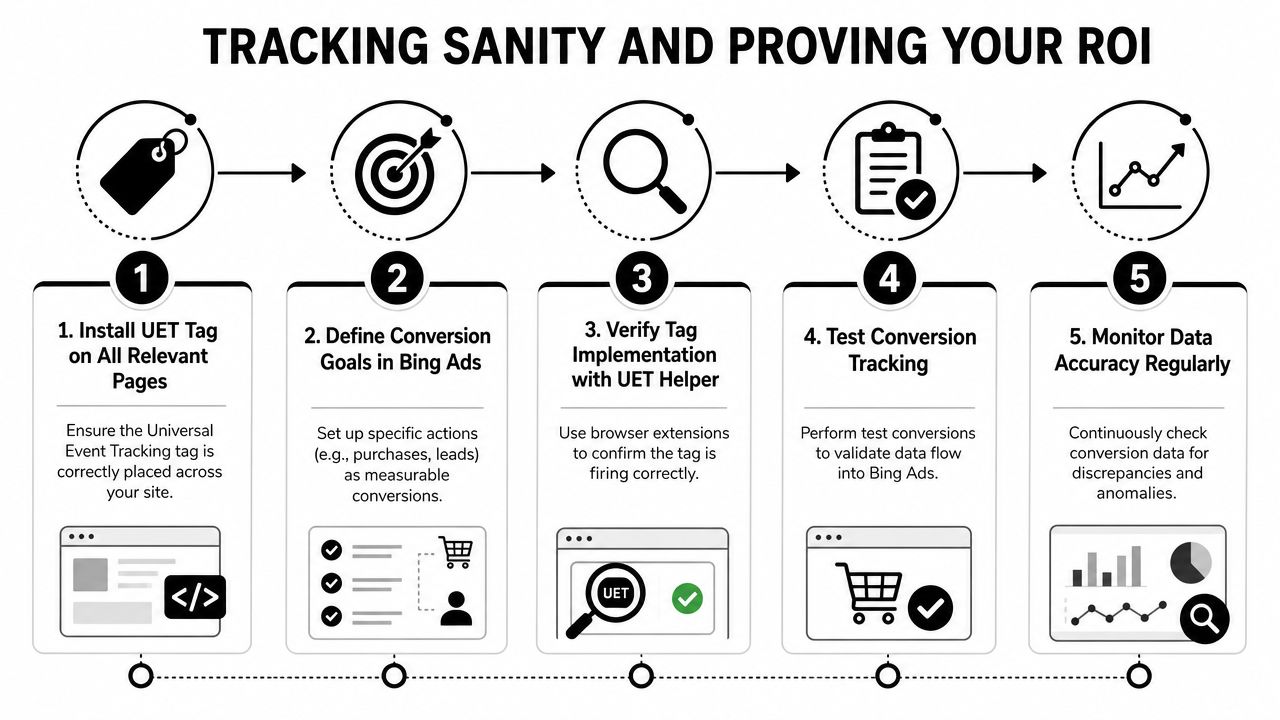
Start with outcomes tied to money or sales capacity. Everything else is support data.
I care about:
Clicks and CTR still have a job. They help diagnose ad relevance and traffic quality. They do not prove the account is working.
If your team still argues over last-click screenshots, fix the measurement model first. A basic grasp of attribution modeling for paid media will save you from a lot of fake certainty in reporting meetings.
Microsoft Ads tracking problems are rarely dramatic. They are small, boring mistakes that distort decisions for months.
The usual offenders are duplicate thank-you page fires, phone call goals that count junk calls, imported conversions that do not match CRM stages, and lead forms that inflate volume while sales quality drops. Add a long sales cycle and the account can look profitable or unprofitable for the wrong reason.
This gets worse on Bing because volume is often lower than Google. One tracking mistake can swing your CPA hard enough to trigger bad bid changes and budget cuts.
A useful report answers three questions quickly:
That is the whole job.
Nobody needs a bloated dashboard full of soft metrics that make the account look busy. If the report cannot connect spend to qualified outcomes, it is decoration.
Keep the checklist short and strict:
If Microsoft Ads says performance is up and your sales team says lead quality fell off a cliff, do not explain away the mismatch. Investigate it. In Bing management, the accounts that hold up over time are the ones where tracking gets audited like finance, not admired like design.
Sooner or later, the question stops being “Can we manage this ourselves?” and becomes “Should we?”
My answer is simple. If Microsoft Ads is producing meaningful opportunity, and nobody on your team has the time or judgment to manage search terms, audience settings, tracking integrity, and budgeting discipline properly, then yes, hire someone. If it's still an early channel test, keep it lean.
A sensible middle ground is to treat Bing as a complement to Google and give it a 4 to 6 week test window before deciding whether dedicated management is warranted, based on this practical SMB-focused Microsoft Ads perspective.
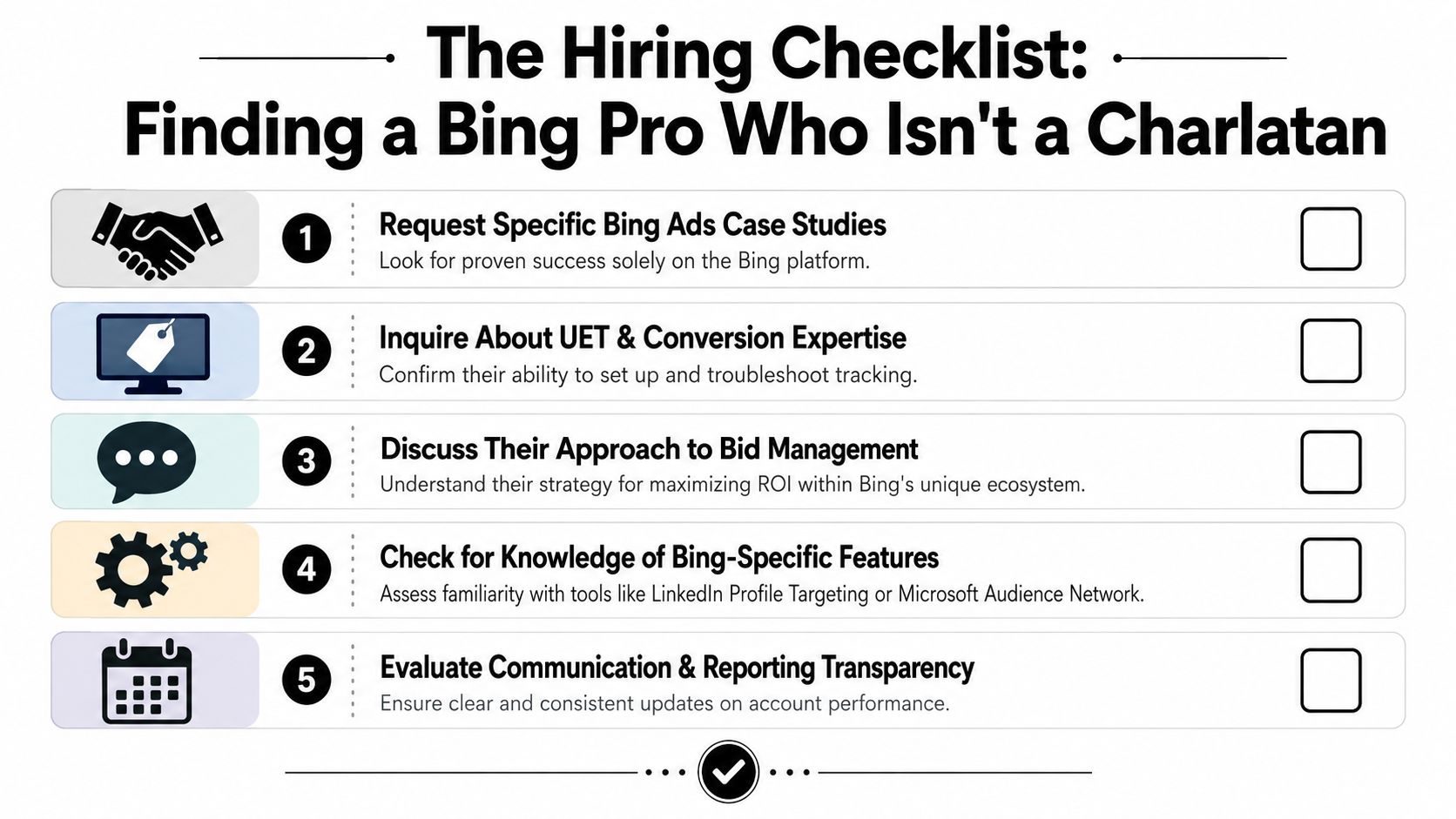
Ask this:
“When do you exclude or isolate the Microsoft Audience Network, and how do you decide?”
Anyone who answers with hand-wavy nonsense about “letting the algorithm find incremental reach” is probably a Google operator wearing a fake mustache. A real Bing practitioner will talk about intent separation, placement review, search versus audience behavior, and control settings.
You're looking for signs of actual operating judgment, not logo familiarity.
Some resumes look polished and still scream danger.
| Red flag | Why it matters |
|---|---|
| Only talks about Google | They may try to manage Microsoft by habit |
| Can't explain network settings | They'll miss one of the platform's most expensive traps |
| Obsessed with top-line CTR | Nice metric, weak operator if that's the whole story |
| No process for weekly review | Bing punishes passive management |
You can hire through your own network, use a recruiter who understands paid media, or use a specialist marketplace. One option is this media buyer job description resource if you're scoping the role internally. If you want pre-vetted paid ads talent, HireMediaBuyers.com is one marketplace that covers Microsoft/Bing among other paid media channels.
Hire for platform judgment, not platform access. Plenty of people can click buttons in Microsoft Ads. Far fewer can tell you which buttons to avoid.
The right hire doesn't just “manage Bing.” They protect intent, clean up reporting, and stop your account from drifting into lazy overlap with Google.
If you need someone who can handle Bing Ads management without learning on your budget, HireMediaBuyers.com helps companies find pre-vetted media buyers and paid ads specialists across Microsoft/Bing, Google, Meta, LinkedIn, and more. It's a practical option if you want to skip the resume roulette and talk to operators who already know the platform.


